
Markdown,
beautifully native.
emde is a lightweight, native Markdown reader and editor for macOS. Beautiful live previews, pleasant editing, and it can open your .md files by default.
macOS 14 or later · 6.4 MB download · Free while in early access
Try Markdown right here
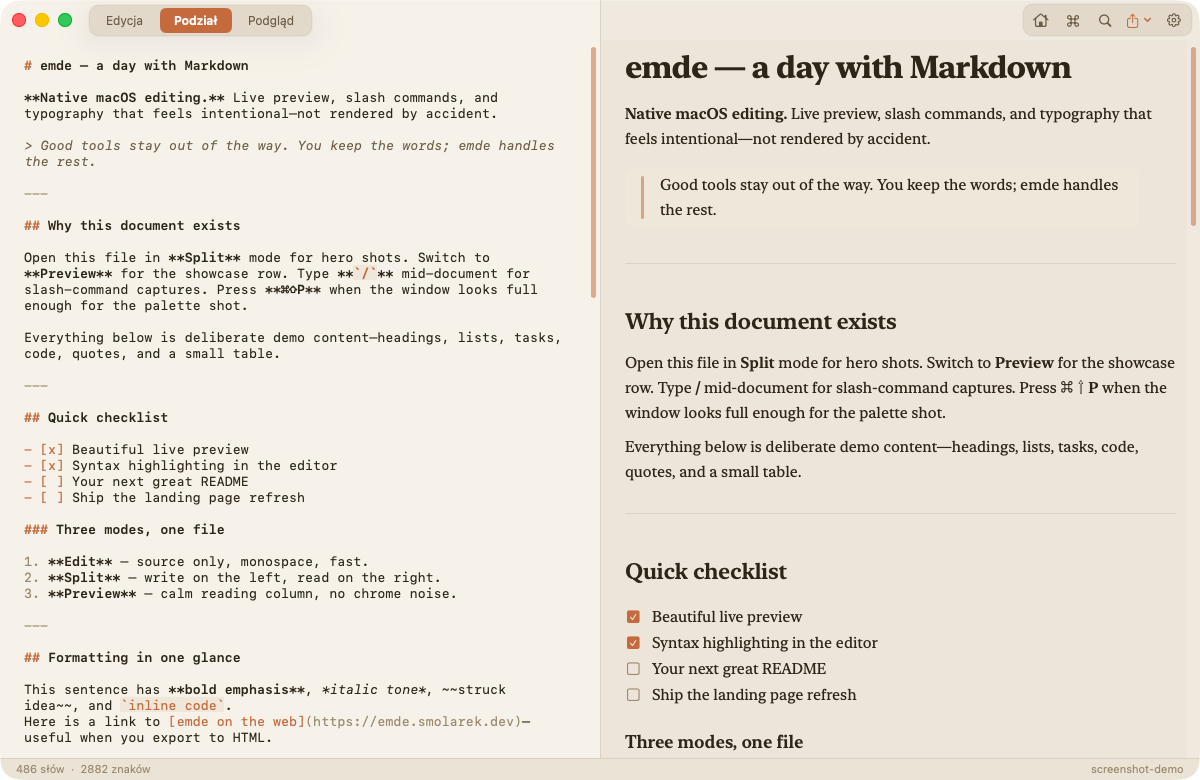
A small taste of the split view. Type on the left and watch the right side follow.
The real app does much more: syntax highlighting, tables, images, slash commands, export…
Everything a Markdown file deserves
Built with Swift and SwiftUI. Fast, focused and fully native.
See emde in action
A few everyday moments with the app. No staging, just real work.
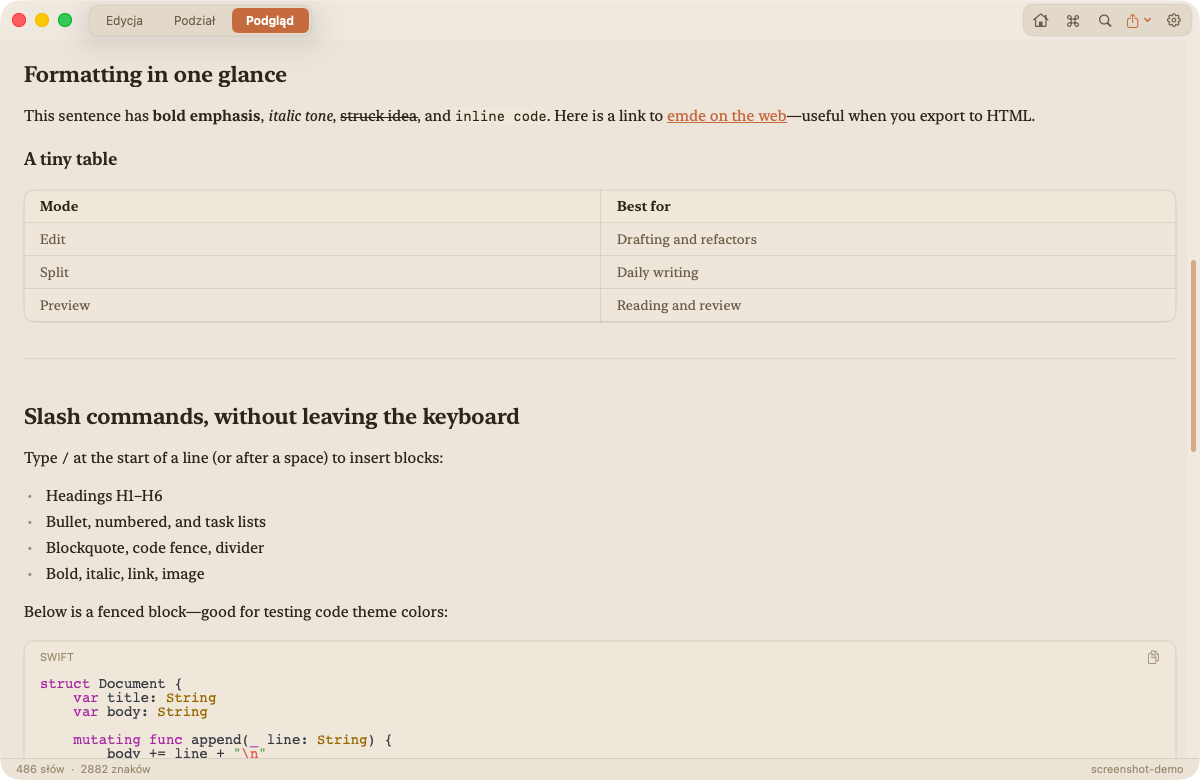
A preview you'll want to read
Serif headings, comfortable line length, elegant code and lists. Preview mode turns any README into something that feels typeset, not rendered.
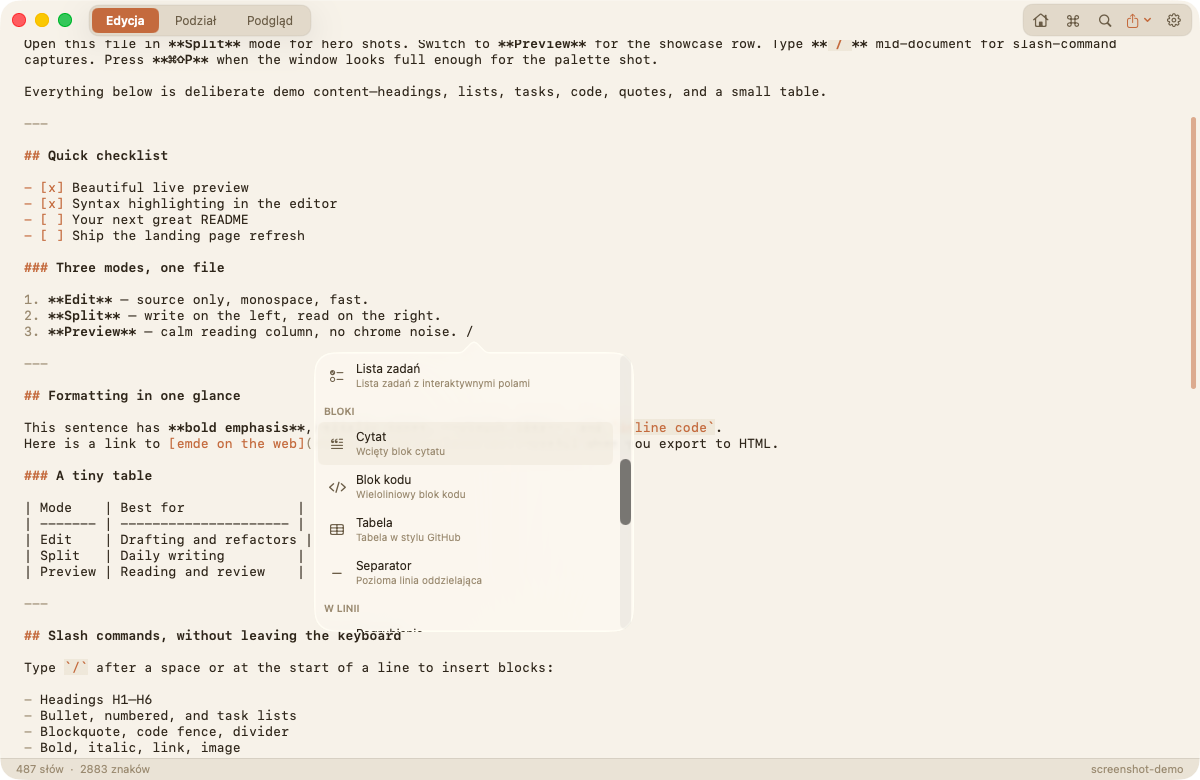
Type / and keep flowing
Quotes, code blocks, tables, dividers. The slash menu drops any Markdown block right at your cursor, with your hands on the keyboard.
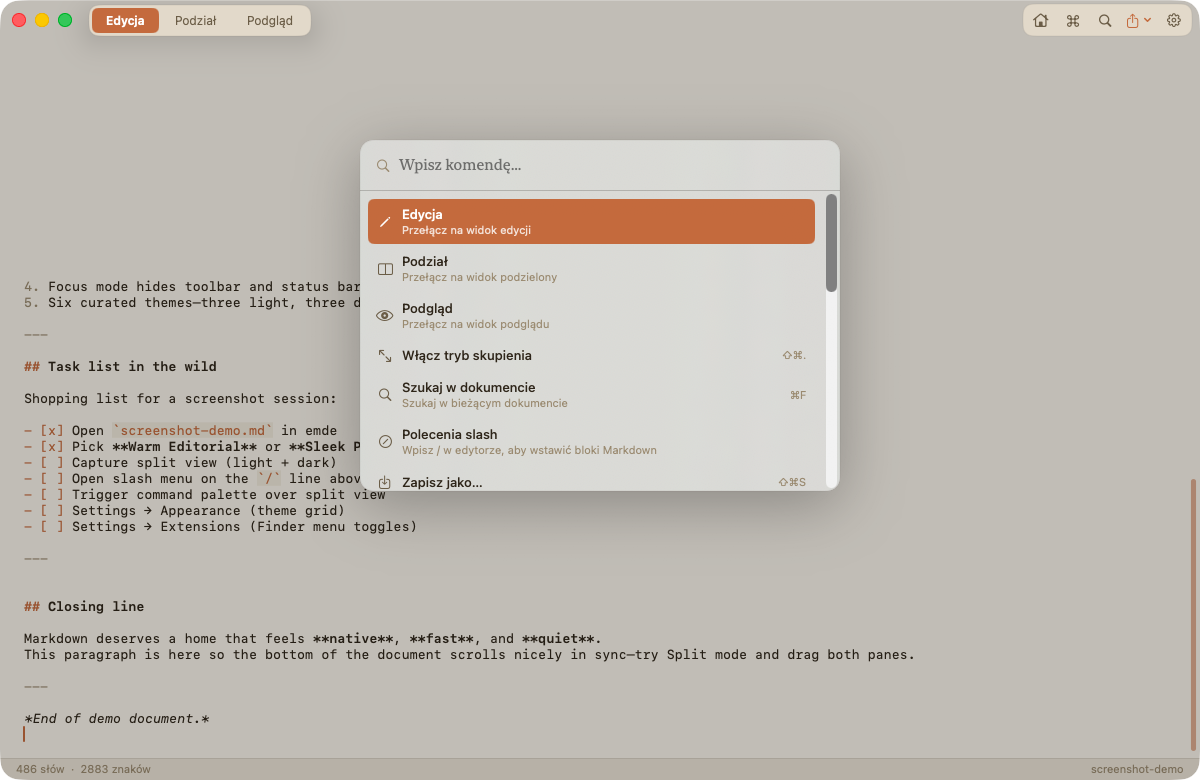
Every action, three keystrokes away
The command palette knows your view modes, exports, recent files and settings. Press ⌘⇧P, type a few letters, hit return.
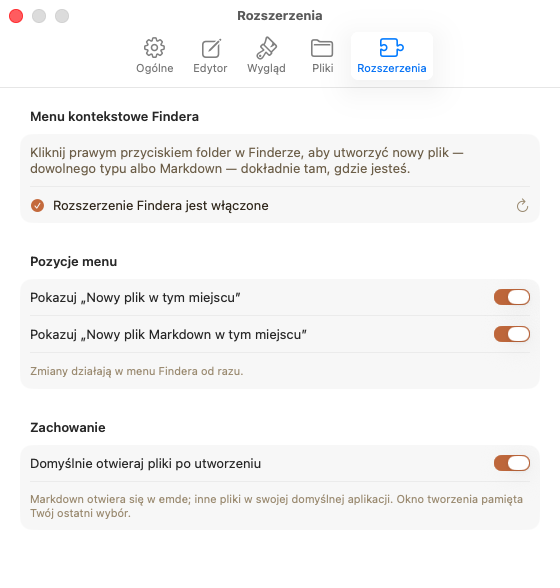
New file, right where you are
The Finder extension adds "New File Here" to the right-click menu of every folder, for Markdown or any other file type. You can hide either entry, and enabling takes one click in Settings.
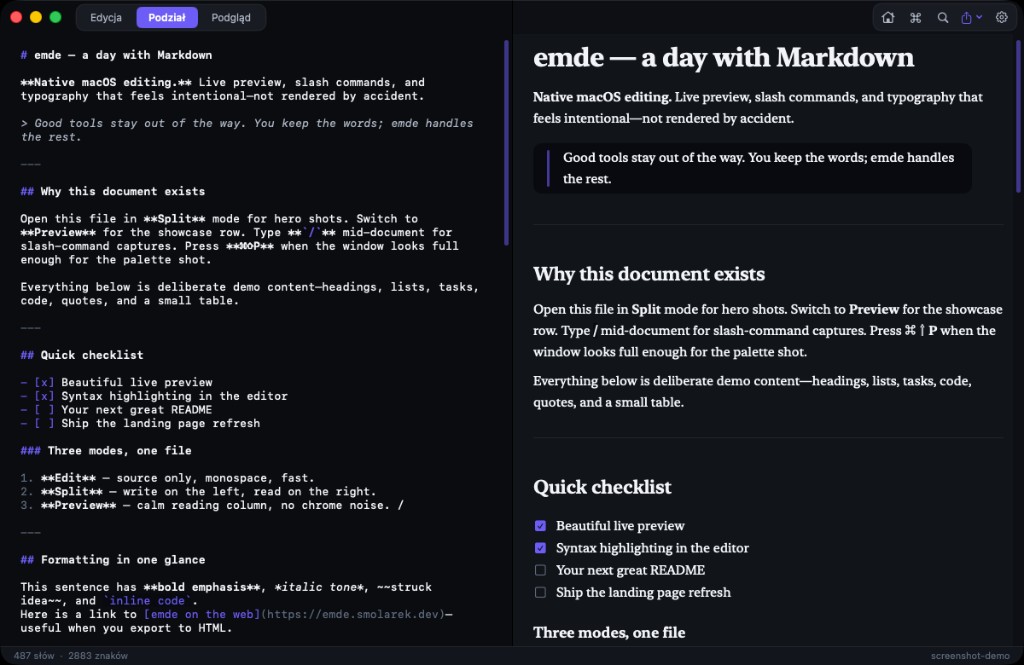
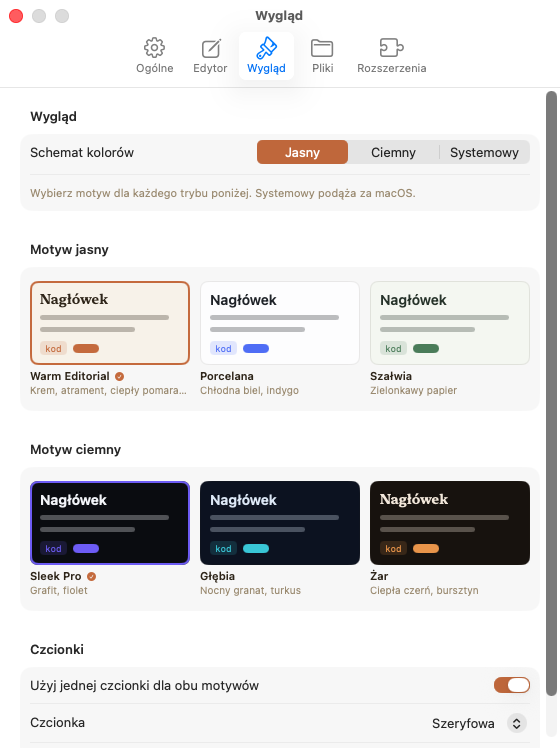
At home in light and dark
The whole app, settings included, is designed for both appearances.
Small app, honest numbers
Everything below is easy to check yourself.
13.4 MB on disk
The entire installed app. The download itself is 6.4 MB.
Ready before you blink
Native Swift, no runtime to warm up. The window simply appears.
Nothing leaves your Mac
No account, no cloud, no telemetry. Fully offline, forever.
Feels like macOS
System shortcuts, Finder integration, native windows and themes that follow your Mac.
Frequently asked questions
Is emde free?
Yes, free while in early access. Later there will be a small one-time license. No subscriptions.
How do I install emde for the first time?
- Open the downloaded emde.dmg
- Drag emde to the Applications folder
- In Applications, right-click emde → Open → confirm Open (once only)
- If macOS still blocks the app (common on macOS 15 Sequoia and later): double-click emde once, then open System Settings → Privacy & Security, scroll to Security, and click Open Anyway next to the emde message (shown for about an hour). Enter your Mac password to confirm.
During early access, emde is not yet notarized by Apple, so Gatekeeper may warn that the developer cannot be verified. That is expected. Either method above allows emde once; later launches work with a normal double-click. Full notarization is on the roadmap.
What are the system requirements?
Requires macOS 14 or later. The downloadable DMG is a universal app with native Apple Silicon and Intel builds.
Does it work offline?
Completely. Your files never leave your Mac. There is no account, no cloud and no telemetry.
Can I make emde my default Markdown app?
Yes. One click in Settings registers emde as the default app for .md, .markdown, .mdown and .mkd files.
Which languages does the interface speak?
English, Polish and Spanish. You can switch in Settings without restarting.
What Markdown flavour is supported?
GitHub Flavored Markdown: headings, lists, task lists, tables, fenced code with syntax highlighting, quotes, links, local images and more.
How much can I customize the look?
Six themes: three light and three dark, chosen separately for each mode with live previews. Plus font family and size settings for the editor and preview.
What's next
emde is in active development. This is what comes next.
-
Editing experience & previewsSlash commands, command palette, find and focus mode are done.
-
Signing & notarizationSo the app opens on any Mac without warnings.
-
Automatic updatesSeamless in-app updates.
-
Licensing & App StoreA simple one-time license; App Store release under consideration.
Give your Markdown a better home
Free during early access. A paid license (for pocket change) will come later.
Download for macOSRequires macOS 14 Sonoma or later · 6.4 MB DMG